
A complete mail and calendar app, not a stripped-down privacy demo
Everything you would expect from a modern client, on every platform, working offline first.
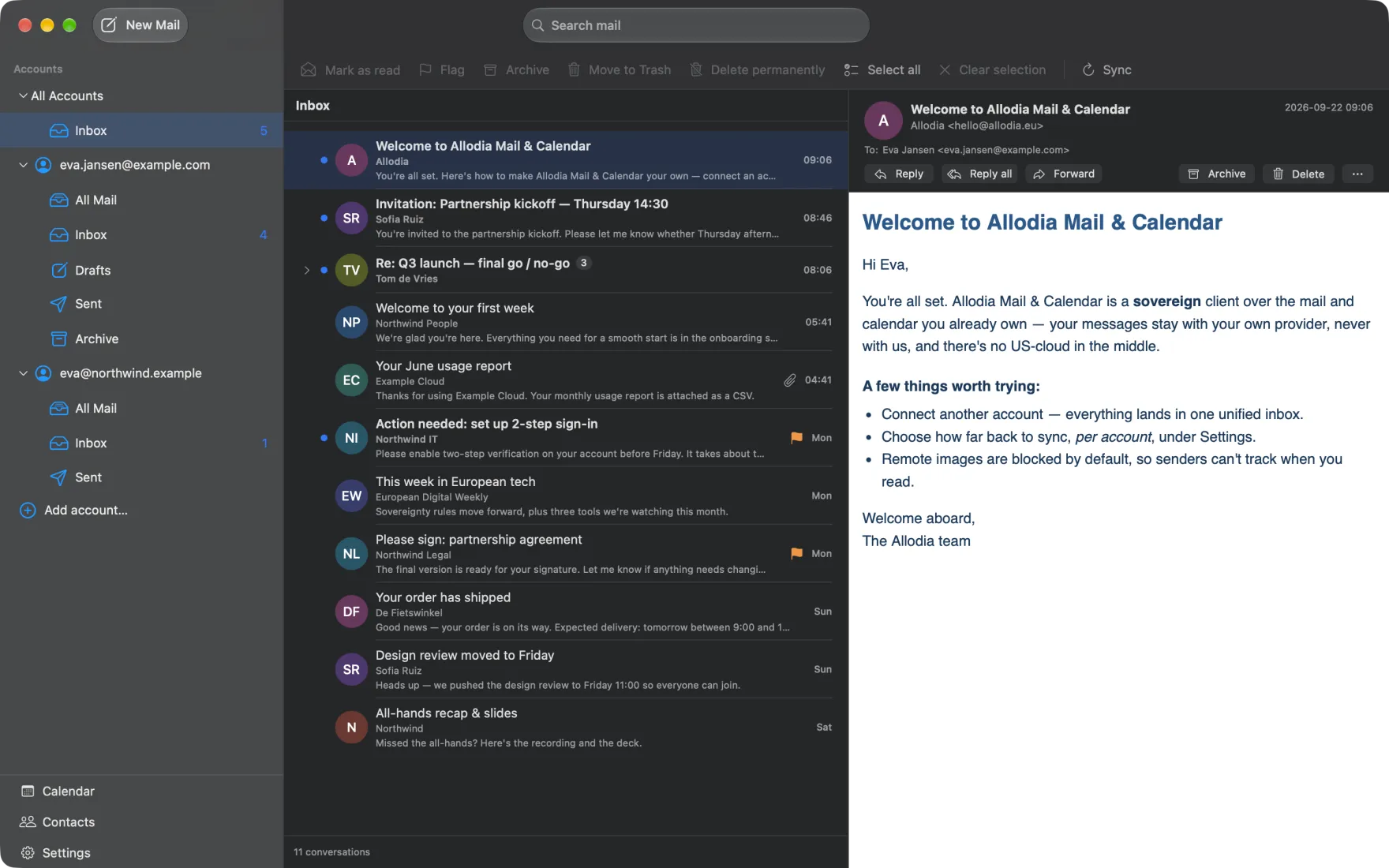
Every account in one inbox, ready before you open it
Message bodies download after every sync, so opening mail is instant and everything in your synced window reads with no network at all.
- Multiple accounts in one unified inbox, with a folder sidebar per account
- Conversations grouped into threads: the whole thread, including your own replies across folders
- Search across every account at once, newest first, with from: and to: filters
- Read, flag, archive, delete and spam, plus configurable swipe actions with undo
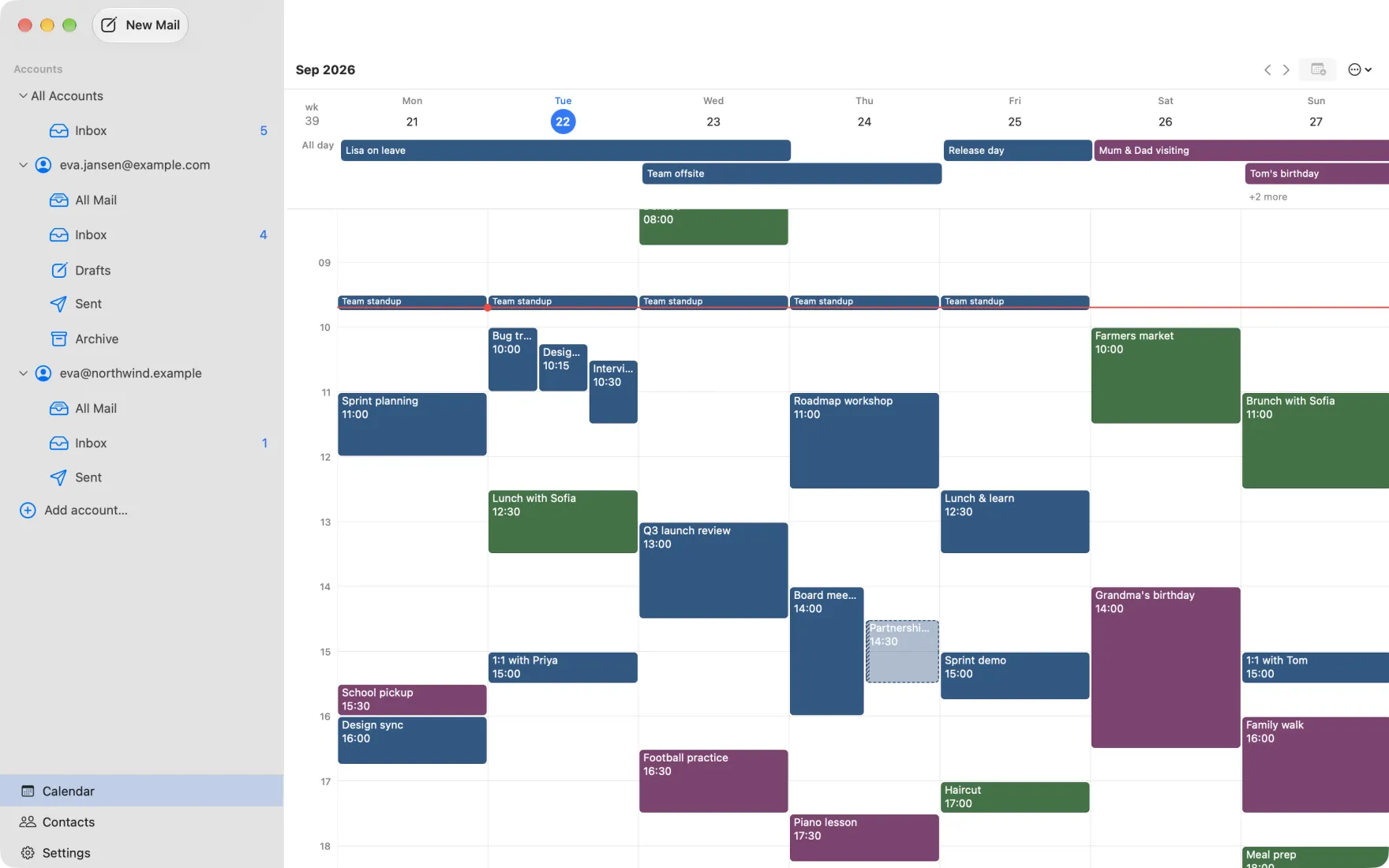
The week at the zoom you want it
Day, three-day, work-week and week time grids, plus a month grid. Pinch to zoom hours, days, or both at once. The shape you left it in is the shape you come back to.
- Create, open, edit and delete events, with a calendar picker grouped by account
- Read-only calendars are respected, so you are never offered an edit that cannot be saved
- Per-calendar visibility and colours, week numbers, a now line and jump-to-today
- All-day and multi-day events get their own banner, capped with a +N that expands
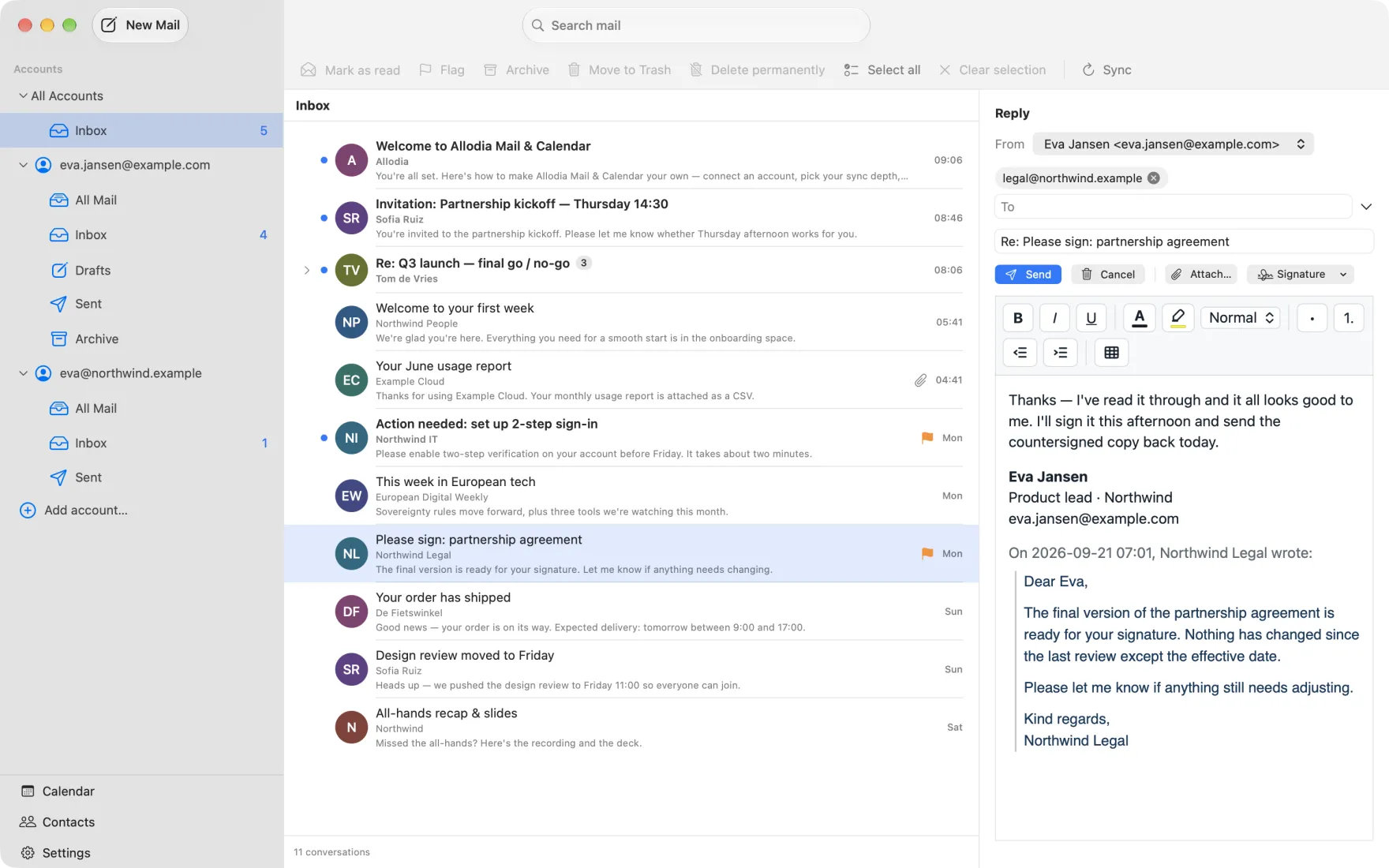
A real composer, in the window you were already in
New messages, replies, reply-all and forwards in a rich HTML editor. On desktop it replaces the reading pane instead of blacking out your mailbox.
- Editable To, Cc and Bcc, with a From-account picker and an app-wide default
- Attachments both ways: attach files, and open received ones in your usual app
- The original quoted below your reply, so the thread reads in one place
- Click another message mid-draft and it asks first; it never silently loses your text
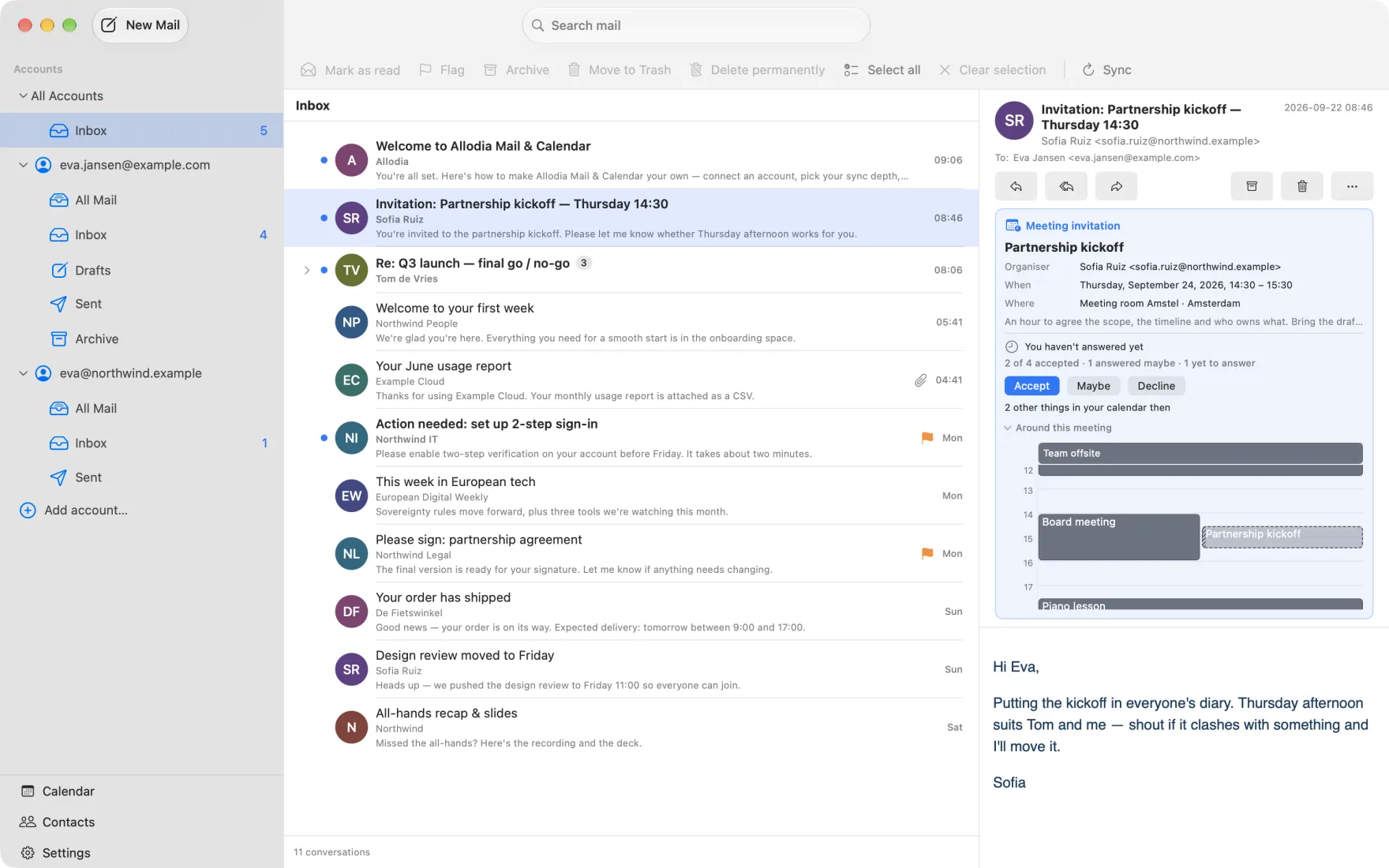
Answer a meeting without leaving the message
The invitation sits above the message with your day around it, so you see what it clashes with before you answer.
- Accept, Maybe or Decline, with a note to the organiser
- A meeting you haven't answered yet shows in your calendar as a hold
- Works with IMAP and CalDAV too: your answer goes out by email when the calendar server can't send it
- When the organiser changes the meeting, the older invitation says it is out of date
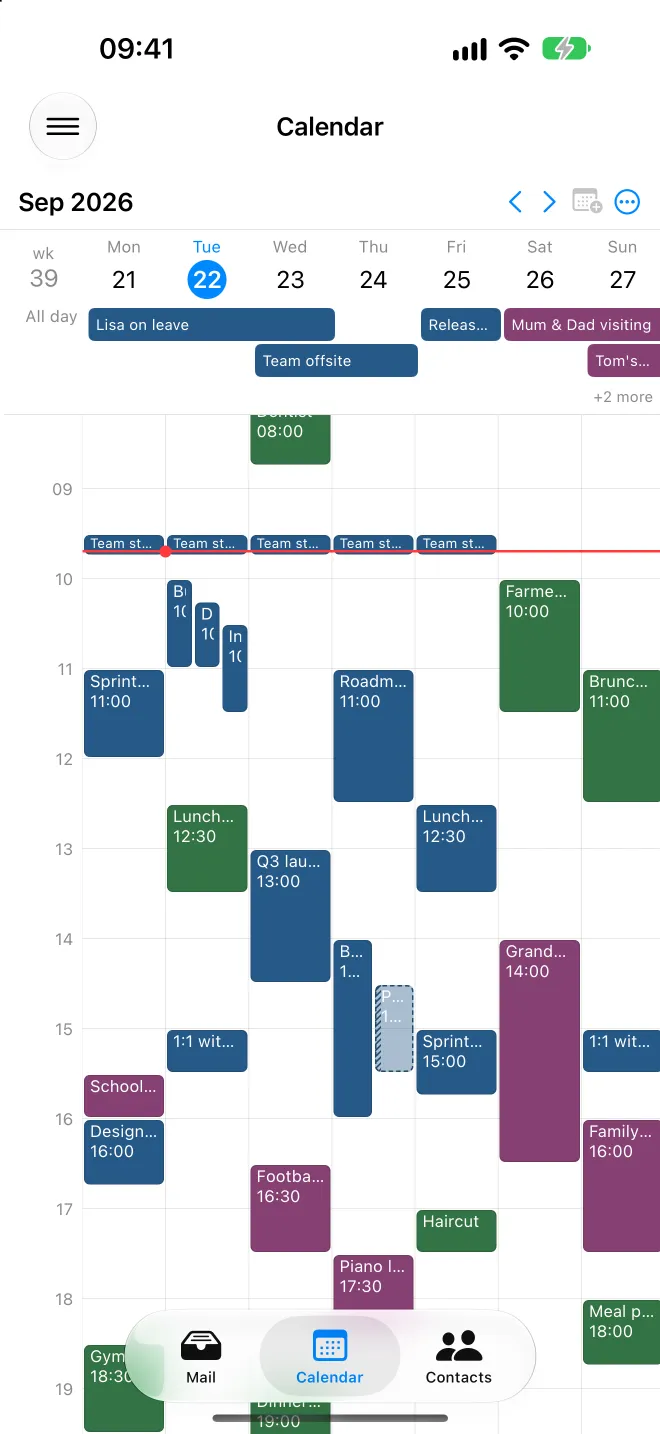
The same app in your pocket
Android, iPhone and iPad run the same core as the desktop. Same accounts, same calendar, same rules about your data.
- Background delivery keeps mail arriving when the app isn't in front
- New-mail notifications with sender and subject, raised locally on your device
- Configurable swipe actions, with an undo toast
- iPad gets the full three-column layout, with each window's state restored
Download Allodia Mail & Calendar
Free on macOS, Windows, Linux, Android, iPhone and iPad.


Prefer to install outside the Microsoft Store? Install directlyIf you have the Store version, remove it first.
Rather add the repository yourself?
Run these two commands in a terminal:
flatpak remote-add --if-not-exists allodia https://dl.allodia.eu/flatpak/allodia.flatpakrepoflatpak install allodia eu.allodia.mailcalDid you know that Allodia Mail & Calendar is open source software? All source code is available publicly on GitHub: github.com/allodia-eu/mail-calendar
See what's new in each release